How MailBuddy works: your WooCommerce email inbox in WordPress
MailBuddy connects a mailbox you already have through IMAP and SMTP. Your team can review and reply to store messages in WordPress alongside WooCommerce orders. It does not host a new email address.
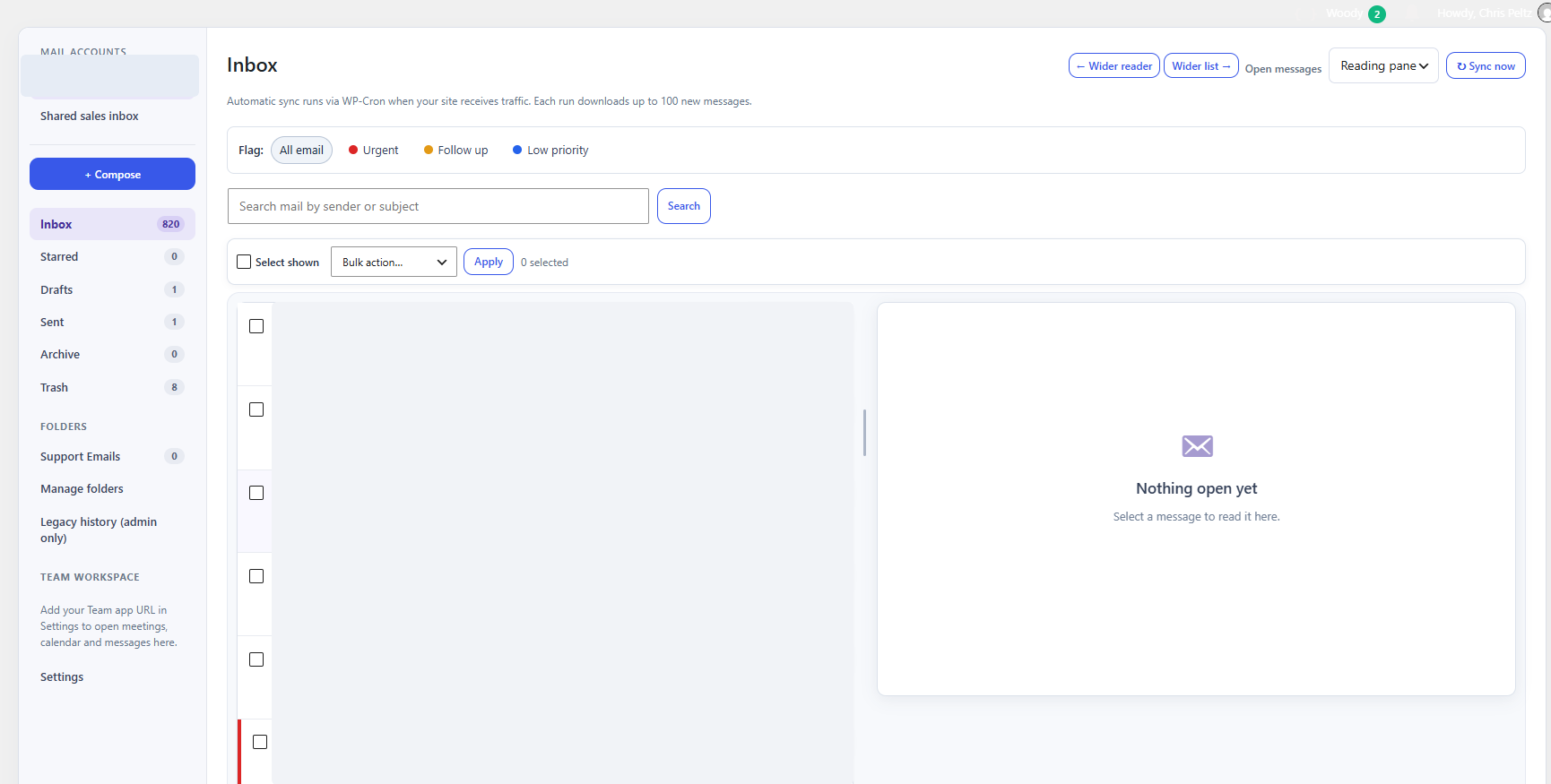
Navigate every part of the inbox
Compose a new email, then find conversations in Inbox, Starred, Drafts, Sent, Archive and Trash. Organize work with local folders, sync mail, search sender or subject, and switch the reading pane layout. The screenshot is from the actual plugin; account and customer message details were hidden for privacy.
Sort messages with flags and actions
Use Urgent, Follow up and Low priority flags to filter attention. Search the mailbox, select messages for bulk actions, star important messages and reply from the reading pane. Flags help staff triage; they do not send messages or change orders by themselves.
Find the right WooCommerce order
The order finder looks for a WooCommerce order number and corroborating billing details. If a number is absent, it requires multiple matching details and a unique result. It shows suggestions for a person to review, never automatic proof of identity or an automatic order link.
Link only after review
Open the suggested order and confirm the match. Staff can deliberately pin the email to an order, copy plain text into a private order note, or tag relevant archived attachments. Simply reading an email never creates an order note. Attachment downloads remain private and depend on the source email archive.
Work together without sharing every mailbox
The separate Team web workspace provides meetings, calendar and direct messages. It is not the WordPress support inbox: mailbox permissions are managed separately for authorized staff.
Start with your existing mailbox
MailBuddy is a $249 USD one-time WordPress plugin purchase. Check the email-provider requirements and secure checkout options before buying.